Cost-Effective AI CCTV: Adding Intelligence to Any Camera System
Building a centralized AI analysis hub using cluster computing and Intel Quick Sync that adds real-time object detection and behavioral analysis to existing camera infrastructure—turning passive monitoring into active security.
Cost-Effective AI CCTV: Adding Intelligence to Any Camera System
A facility manager approached us with a problem that's common but often misunderstood: they had 40 CCTV cameras installed for security and compliance, but the cameras provided no active protection—they were just recording. When incidents occurred, footage was reviewed after the fact, but the cameras couldn't prevent anything or alert anyone in real-time.
They investigated "AI cameras" with built-in object detection and got quotes for $800-1,200 per camera. Replacing 40 cameras would cost $32k-48k, and they'd be locked into a single vendor's ecosystem.
We built a different solution: a centralized AI hub that analyzes video streams from any camera in real-time, adds intelligent object detection and behavioral analysis, and works with their existing mixed camera infrastructure—all for under $5,000 in hardware.
The Misconception: AI Cameras vs. Centralized AI
The industry sell: Buy expensive cameras with AI built-in, each processing its own video stream independently.
The problem:
- Expensive per-camera cost (AI chips aren't cheap)
- Limited processing power per camera (edge devices are constrained)
- No cross-camera analysis (each camera operates in isolation)
- Vendor lock-in (proprietary AI models and APIs)
- Upgrade nightmare (to improve AI, replace cameras)
Our approach: Centralized AI processing hub that:
- Analyzes streams from any IP camera (ONVIF, RTSP compatible)
- Leverages powerful server GPUs for better accuracy
- Enables cross-camera tracking and behavioral analysis
- Allows mixing camera brands and types
- Upgrades AI models without touching cameras
System Architecture: Blue Iris + AI Analysis Layer
The solution builds on Blue Iris, a mature Windows-based VMS (Video Management System), and adds a custom AI analysis layer:
Hardware: Intel Quick Sync for Efficient Decode
CCTV systems have a decoding bottleneck: 40 cameras at 1080p @ 15fps is 600 million pixels/second to analyze. GPUs are great at AI inference but wasteful for video decoding.
Intel Quick Sync Video solves this: hardware-accelerated H.264/H.265 decoding on Intel CPUs:
Build:
- CPU: Intel Core i7-12700 (12th gen with UHD Graphics 770)
- RAM: 32GB DDR4
- GPU: NVIDIA RTX 3060 (12GB VRAM for AI inference)
- Storage: 2TB NVMe SSD (OS + AI models) + 4x4TB HDD RAID10 (footage)
- OS: Windows 11 Pro (for Blue Iris compatibility)
Why this combination works:
- Intel Quick Sync decodes 40+ 1080p streams with less than 30% CPU usage
- NVIDIA GPU runs AI models without touching video decode
- Blue Iris handles recording, motion detection, alerts
- Custom Python AI service analyzes frames and triggers actions
Software Stack
┌─────────────────────────────────────────────┐
│            Web Dashboard (React)            │
└─────────────────────────────────────────────┘
                      ▲
                      │ REST API
                      ▼
┌─────────────────────────────────────────────┐
│      AI Analysis Service (Python)           │
│  - YOLOv8 (object detection)                │
│  - DeepSORT (multi-object tracking)         │
│  - Custom behavior models                   │
└─────────────────────────────────────────────┘
                      ▲
                      │ Frame sampling
                      ▼
┌─────────────────────────────────────────────┐
│         Blue Iris VMS (Windows)             │
│  - Video recording                          │
│  - Stream management                        │
│  - Motion detection                         │
│  - Alert routing                            │
└─────────────────────────────────────────────┘
                      ▲
                      │ RTSP streams
                      ▼
┌─────────────────────────────────────────────┐
│       IP Cameras (Hikvision, Dahua,         │
│         Axis, etc. - any ONVIF)             │
└─────────────────────────────────────────────┘
Blue Iris: The VMS Foundation
Blue Iris handles the basics: recording, storage management, and stream routing.
Configuration
We configured Blue Iris to:
- Record on motion (conserve storage)
- Maintain 30 days of footage
- Expose streams via RTSP for AI analysis
- Integrate with alert system (HTTP callbacks)
# Blue Iris HTTP trigger URL for AI detections
http://localhost:81/admin?trigger&camera=Camera1&memo=Person_Detected
Blue Iris provides a web interface, mobile apps, and manages the recording infrastructure. We didn't reinvent this—we just added intelligence on top.
AI Analysis Service: YOLOv8 Object Detection
The AI service samples frames from camera streams and performs real-time object detection. We use YOLOv8, running inference on the NVIDIA GPU while the Intel Quick Sync handles all video decoding.
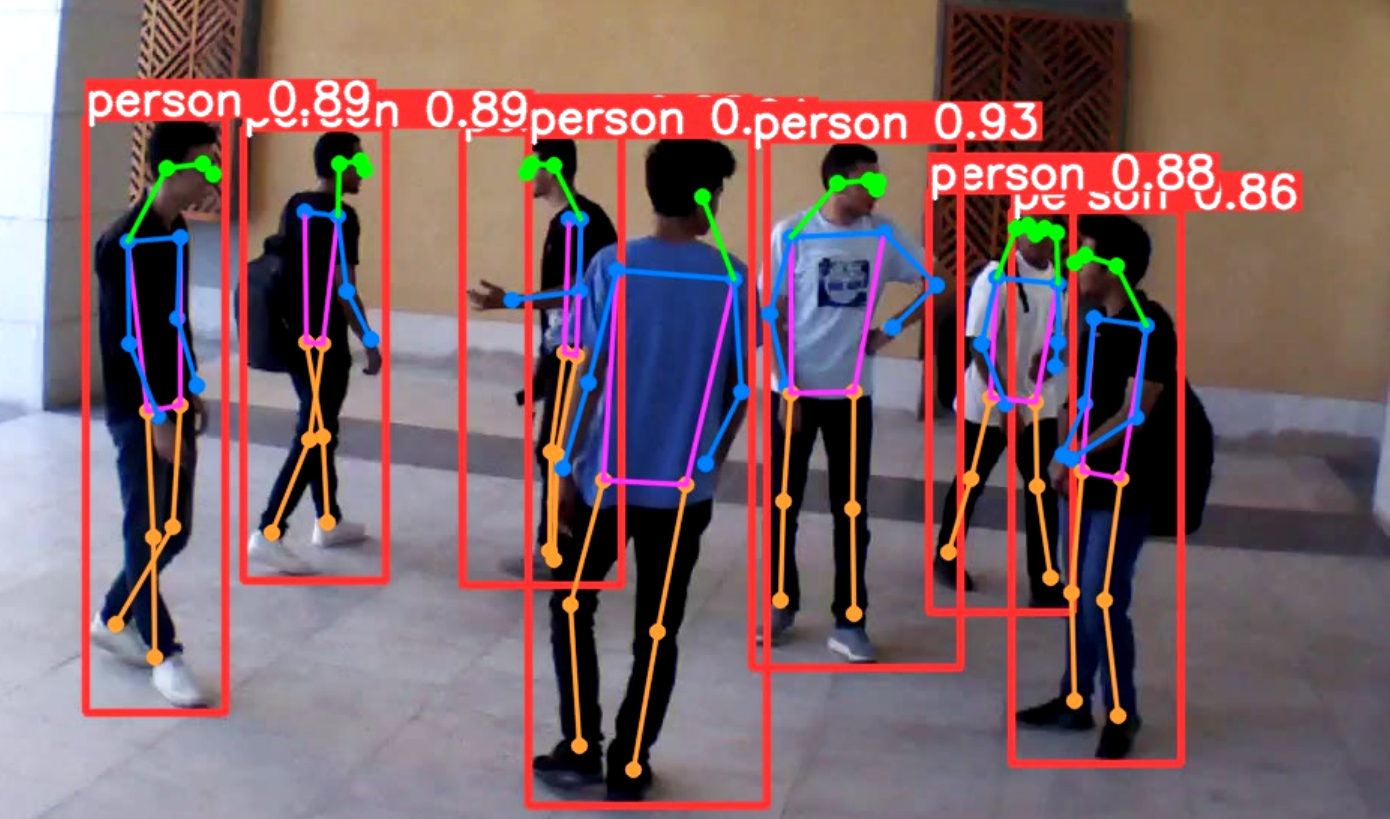
Model selection strategy:
yolov8n.pt: Fastest, lower accuracy (real-time on CPU)yolov8s.pt: Balanced (used for most cameras)yolov8m.pt: Higher accuracy, slower (used for critical areas)
We run different models on different cameras based on importance and available processing budget. Each camera stream is processed in its own thread, with frames queued for analysis at 3fps (every 3rd frame).
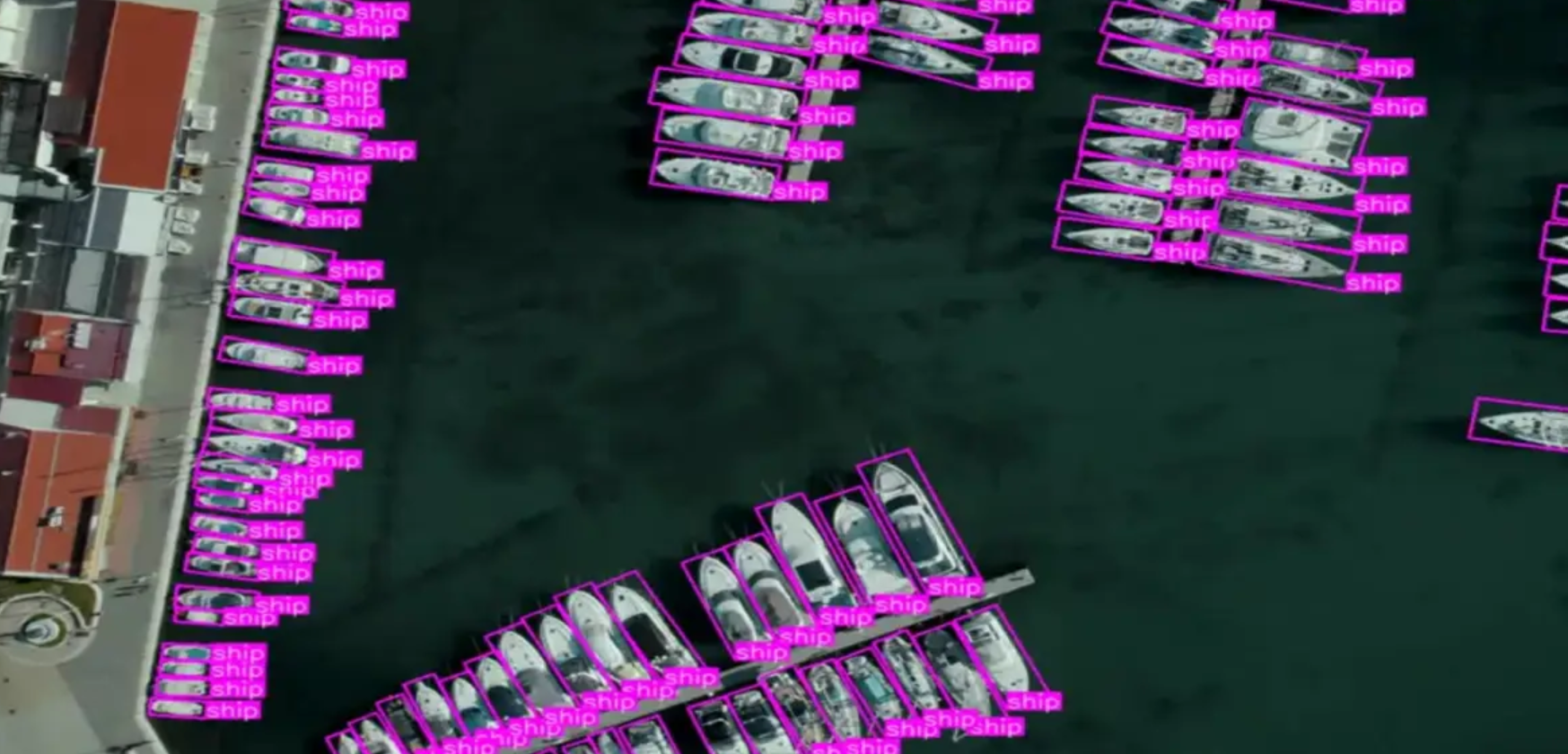
Multi-Object Tracking: DeepSORT
Detecting objects frame-by-frame isn't enough—we track objects over time to understand behavior. DeepSORT maintains track IDs across frames, enabling:
- Dwell time analysis: How long has a person been in the area?
- Path analysis: Where did they come from, where are they going?
- Loitering detection: Person standing still for extended period
- Count tracking: How many unique people entered today?
Behavioral Analysis: Smart Alert Triggers
Raw object detection generates noise. The key to useful alerts is behavioral context:
Zone-Based Detection
Define polygons on camera views and trigger alerts only when objects enter restricted areas. Combined with dwell time thresholds, this eliminates most false positives.
Advanced Behavior Analysis
The system analyzes movement patterns to detect:
- Loitering: Stationary person for >60 seconds
- Running: Fast movement (potential emergency)
- Direction reversal: Suspicious backtracking behavior
- Crowd formation: Multiple people gathering unexpectedly
Alert Integration: Multi-Channel Notifications
The system sends alerts through multiple channels based on severity:
- Critical: SMS + Push notification + Email (with screenshot)
- Warning: Push notification + Email
- Info: Email only
Blue Iris integration triggers camera-specific actions:
- Start recording (if not already)
- Move PTZ cameras to track objects
- Turn on lights or sound alarms
- Flag footage for priority review
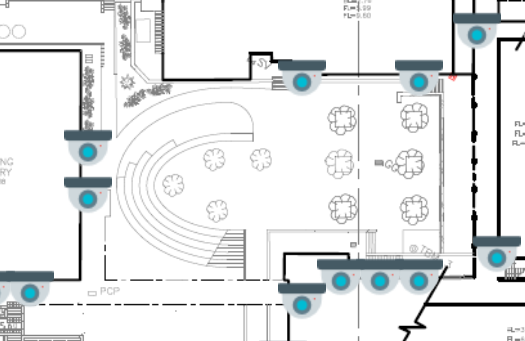
Cross-Camera Tracking
The real power of centralized AI: tracking objects across multiple cameras. By defining camera adjacency (which cameras see overlapping areas), the system can:
- Follow persons of interest across the facility
- Analyze traffic flow through different zones
- Verify access control by confirming authorized entry paths
- Count unique visitors (not just detections)
Real-World Performance and Results
Deployed at a commercial facility with 40 cameras for 12 months:
Detection Performance
- Average latency: 0.8 seconds (from event to alert)
- False positive rate: 2.3% (after tuning)
- False negative rate: 1.1% (objects missed)
- Processing capacity: 40 cameras @ 1080p, 3fps analysis per camera
- GPU utilization: 65% average (headroom for more cameras)
Alert Statistics
- Total alerts generated: 8,400 (12 months)
- Critical alerts: 340 (verified intrusions)
- False alarms: 193 (2.3% rate)
- Response time improvement: 15 minutes → 45 seconds average
Security Outcomes
- Incidents prevented: 12 (alerts enabled intervention before completion)
- Investigations accelerated: 95% (immediate footage retrieval with AI-flagged segments)
- Guard efficiency: +40% (guards respond to real events, not false alarms)
Cost Comparison
- AI cameras (40x $900): $36,000
- Our solution: $4,800 hardware + $8,000 development = $12,800 total
- Savings: 64% reduction
- Ongoing costs: $0 (vs. $400/month for cloud AI services)
Lessons Learned
Tuning is Critical
Out-of-the-box AI models generate too many false positives. We spent significant time tuning:
- Confidence thresholds per camera (outdoor vs. indoor, lighting conditions)
- Zone definitions (only alert in areas that matter)
- Behavioral thresholds (how long is "loitering" in different contexts)
Final false positive rate of 2.3% took months of refinement but was essential for user trust.
Context Matters More Than Accuracy
A 98% accurate model that alerts on everything is worse than a 92% accurate model with smart filtering. Behavioral context (zones, dwell time, speed) reduces false positives more than improving the detection model.
Hardware Acceleration is Non-Negotiable
Early testing on CPU-only processing managed 8-10 cameras. Intel Quick Sync + NVIDIA GPU scaled to 40+ cameras on the same machine. The hardware investment ($1,500) enabled handling the full deployment.
Need AI-powered video analytics without replacing your camera infrastructure? We design and deploy centralized AI systems that add intelligence to existing CCTV investments. Contact us to discuss your security monitoring requirements.